-
The Ultimate Nomad Kit: Gear and Setup Routines for Global Work EfficiencyTravel Tech Tips 2025. 8. 12. 17:35
The Ultimate Nomad Kit: Gear and Setup Routines for Global Work Efficiency
Working as a digital nomad is not just about choosing a beautiful location—it’s about building a reliable, portable office that works seamlessly wherever you are. From internet reliability to power stability, every detail of your setup impacts your productivity. In this guide, we’ll explore essential nomad kit gear, country-specific considerations, and sustainable setup routines that ensure you’re ready for work no matter where the road takes you.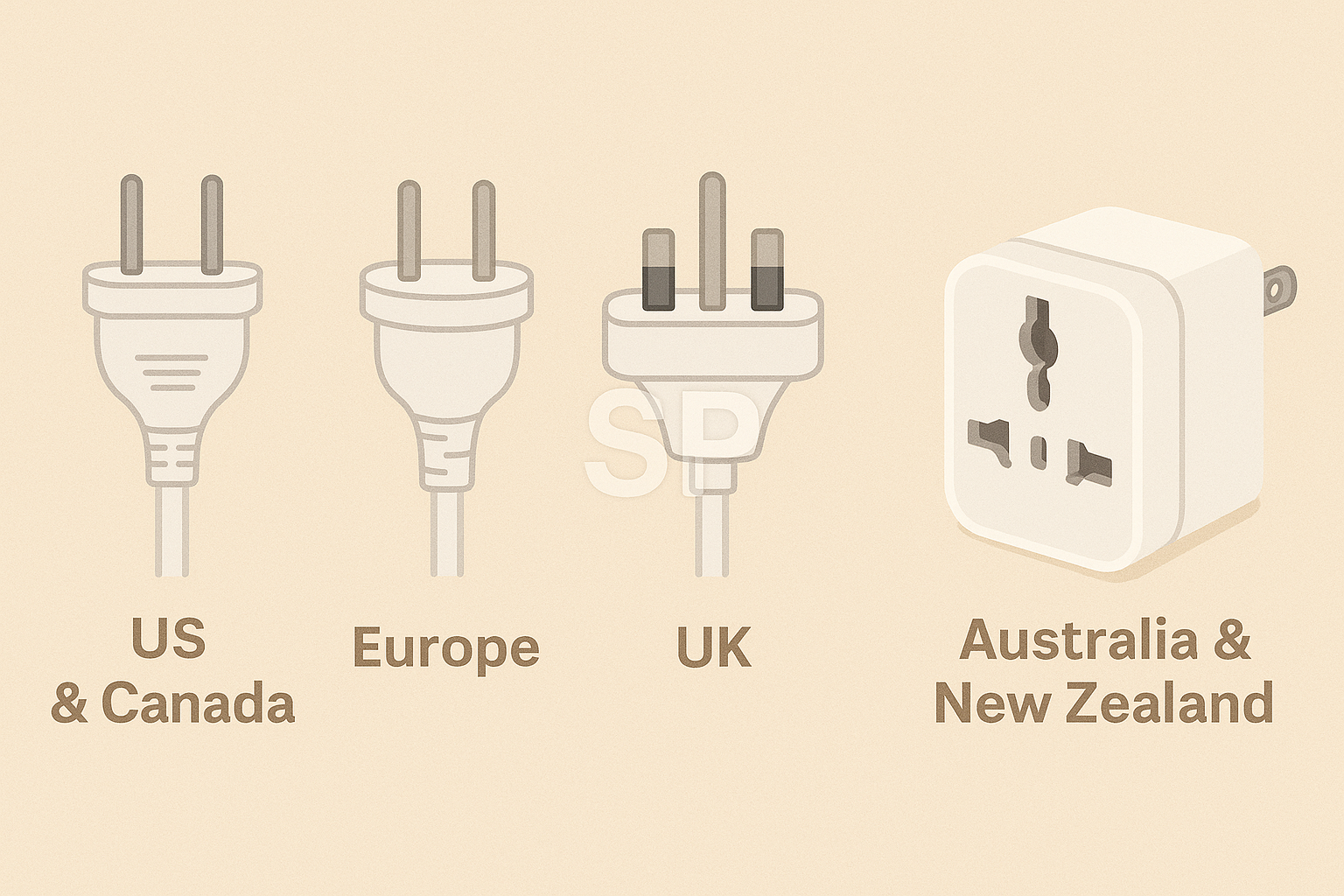
Your first priority is internet connectivity. While Wi-Fi is widely available, speed and reliability vary significantly by country and even city. Always research the top mobile carriers in your destination and consider investing in an unlocked mobile hotspot that supports multiple SIM cards. Some nomads also carry an eSIM-compatible device, allowing them to switch plans instantly without hunting for a physical SIM. In regions with spotty coverage, a portable satellite connection can be a game-changer.
Next is power. Different countries use different voltage and plug types, so a universal travel adapter is non-negotiable. If you work with power-hungry devices like large monitors or high-performance laptops, bring a compact voltage converter to protect your gear. A portable power station or high-capacity power bank can save the day when you’re working in cafes, co-working spaces, or even on a train without outlets.
When it comes to the gear itself, think compact but versatile. A lightweight laptop with strong battery life is the centerpiece of any nomad kit. Pair it with a foldable Bluetooth keyboard, a portable mouse, and a travel-friendly laptop stand to maintain ergonomic posture. Noise-canceling headphones are invaluable for working in noisy environments, while a small external SSD ensures your files are backed up and portable.
Setup routines are equally important. In each new location, spend your first hour testing the internet speed, checking available outlets, and arranging your workspace to match your workflow. This routine not only helps you adapt quickly but also minimizes the risk of downtime. Keep a checklist—power, internet, seating comfort, and light conditions—to ensure nothing is overlooked.
Country-specific research can save you a lot of trouble. Some destinations have frequent power outages; others may require VPNs to access essential tools. In Southeast Asia, for instance, humidity can damage electronics if not stored properly, while in parts of Europe, limited café seating may require early arrival to secure a spot. Learning these local quirks in advance helps you avoid surprises.
Finally, keep your kit lean and maintain it regularly. Overpacking leads to unnecessary weight and logistical headaches. Every few months, review what you actually use and remove items that don’t justify their space. Replace worn cables, clean your devices, and update your software so your kit is always ready for the next trip.
With the right nomad kit and setup routines, you can work from anywhere without sacrificing performance. The goal is to make your environment adapt to you, not the other way around. That’s how you stay productive, flexible, and stress-free as a digital nomad.
Living as a digital nomad means embracing constant change, and your ability to adapt quickly often comes down to the quality of your nomad kit and how well you maintain it. Beyond simply owning the right gear, the real advantage comes from building smart habits and routines that keep your setup functional no matter where you are.
One of the most important elements of your digitalnomadroutine is preparation before you even set foot in a new location. Research local internet speeds, the availability of co-working spaces, and the reliability of mobile networks. Many nomads rely on crowdsourced platforms where fellow travelers post real-time updates about internet quality and workspace comfort. Combining this information with an eSIM plan or local SIM card strategy ensures you can get online within minutes of arrival.
Power management is another area where proactive planning pays off. In regions with unstable electricity, a compact UPS (uninterruptible power supply) can prevent sudden outages from disrupting your work. If you’re traveling to multiple countries in quick succession, having a high-capacity power bank with pass-through charging allows you to charge your devices and the power bank at the same time—a small detail that can make a big difference during long travel days.
Your gear should be modular, meaning each item can work in multiple setups. For example, a lightweight laptop stand paired with a Bluetooth keyboard and mouse can create a comfortable workspace whether you’re in a rented apartment, a café, or outdoors. A portable monitor can double your screen space for design work or presentations, and when not in use, it packs flat into your bag. An external SSD not only speeds up file transfers but also serves as a backup in case your main device fails.
Routine workspace checks are the backbone of a remoteworkgear strategy. The first hour in any new environment should be spent optimizing your workspace: positioning your laptop for ergonomic comfort, checking light levels for video calls, and ensuring outlets are within reach. Even small adjustments, like moving closer to a window for better natural light, can improve your focus and reduce fatigue over long work sessions.
Local conditions can shape your setup in ways you might not expect. In high-humidity climates, silica gel packs or portable dehumidifiers can protect your electronics from damage. In colder regions, keeping your devices warm inside insulated sleeves prevents battery drain. Some countries require a VPN for accessing work platforms, so having a reliable subscription ready avoids last-minute scrambling.
Finally, maintaining your nomadkit is just as important as assembling it. Schedule a gear audit every few months to remove unused items, replace worn-out accessories, and update software or firmware. Keep cables neatly organized in a travel pouch to avoid tangling, and store sensitive electronics in padded cases to protect them during transit.'Travel Tech Tips' 카테고리의 다른 글
Work Anywhere Essentials: Smart Gear for Remote Lifestyle (0) 2025.08.31 Remote Work Essentials: Gear & Connectivity Tips for Digital Nomads Worldwide (1) 2025.08.22 Beyond Laptops: Smart Digital Nomad Gear That Redefines Remote Work in 2025 (0) 2025.08.19 Essential Digital Nomad Gear (1) 2025.08.14